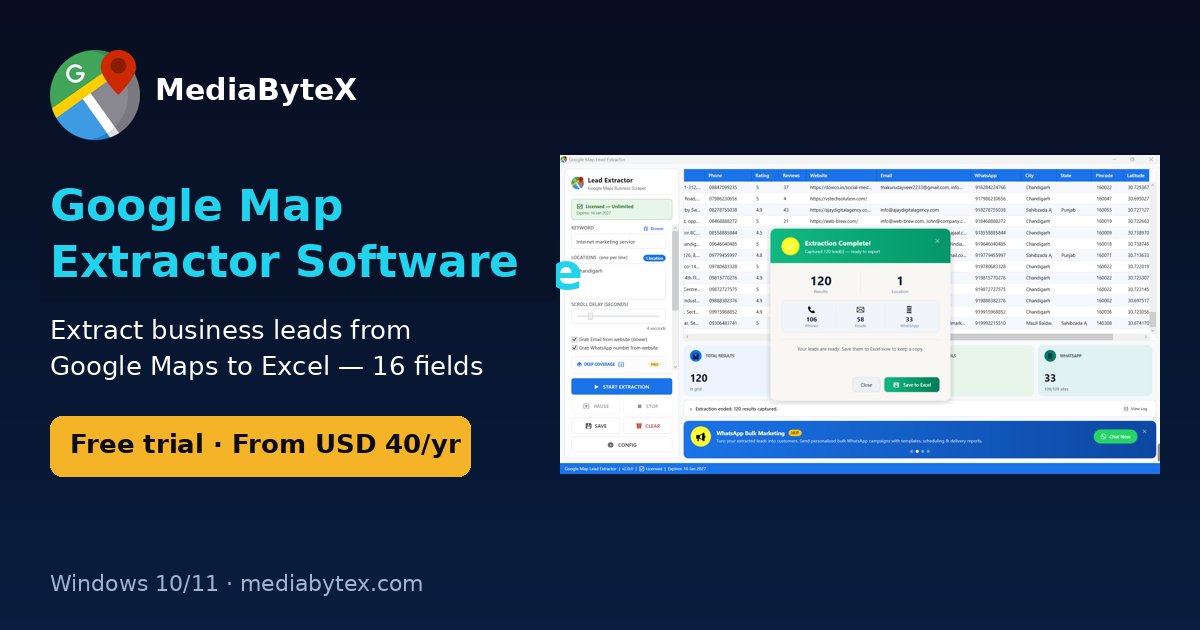
Short answer: there are three ways to get Google Maps business data into Excel. You can copy listings by hand (free, about a minute per business), use the Google Places API (needs a Google Cloud billing account and some coding, and returns no emails), or use a desktop extractor such as Google Map Lead Extractor, which saves up to 16 fields per listing to an .xlsx file automatically.
The three methods compared
| Manual copy-paste | Google Places API | Desktop extractor | |
|---|---|---|---|
| Cost | Free | Pay per request after Google's free usage | Free trial; USD 40/year (India ₹1,999/6 months) |
| Speed | ~1 minute per listing | Fast once built | Fast; runs unattended |
| Skill needed | None | Programming + Cloud console | None |
| Emails / WhatsApp | Only if you visit each website | Not returned | Found on business websites (optional) |
| Best for | Under 30 leads | Developers building an app | Regular lead lists for sales and agencies |
Method 1: copy Google Maps results to Excel by hand
- Open Google Maps and search for a category plus a place, for example dentist in Pune.
- Click each result and copy the name, phone, website and address.
- Paste them into columns in Excel or Google Sheets.
This works for a handful of leads. At roughly a minute per listing, 500 businesses is more than eight hours of clicking, and you still won't have emails.
Method 2: the Google Places API
Developers can call the Places API (Text Search, then Place Details) and write the results to CSV. You need a Google Cloud project with billing enabled, an API key, and code to page through results. Requests are billed by SKU and by the fields you ask for, so check Google's current pricing first. The API returns business details such as name, address, phone and website, but not email addresses. Read the Places API documentation before you build.
Method 3: a desktop Google Map extractor
- Download Google Map Lead Extractor for Windows 10/11 and install it.
- Type a keyword such as internet marketing service and one city per line.
- Tick Grab Email from website and Grab WhatsApp number if you want those columns (runs get slower).
- Click Start Extraction. A live grid fills with businesses, and counters show how many phones, emails and WhatsApp numbers were found.
- Click Save. The file is named after your search, for example
Internet_marketing_service_Chandigarh_Leads.xlsx.
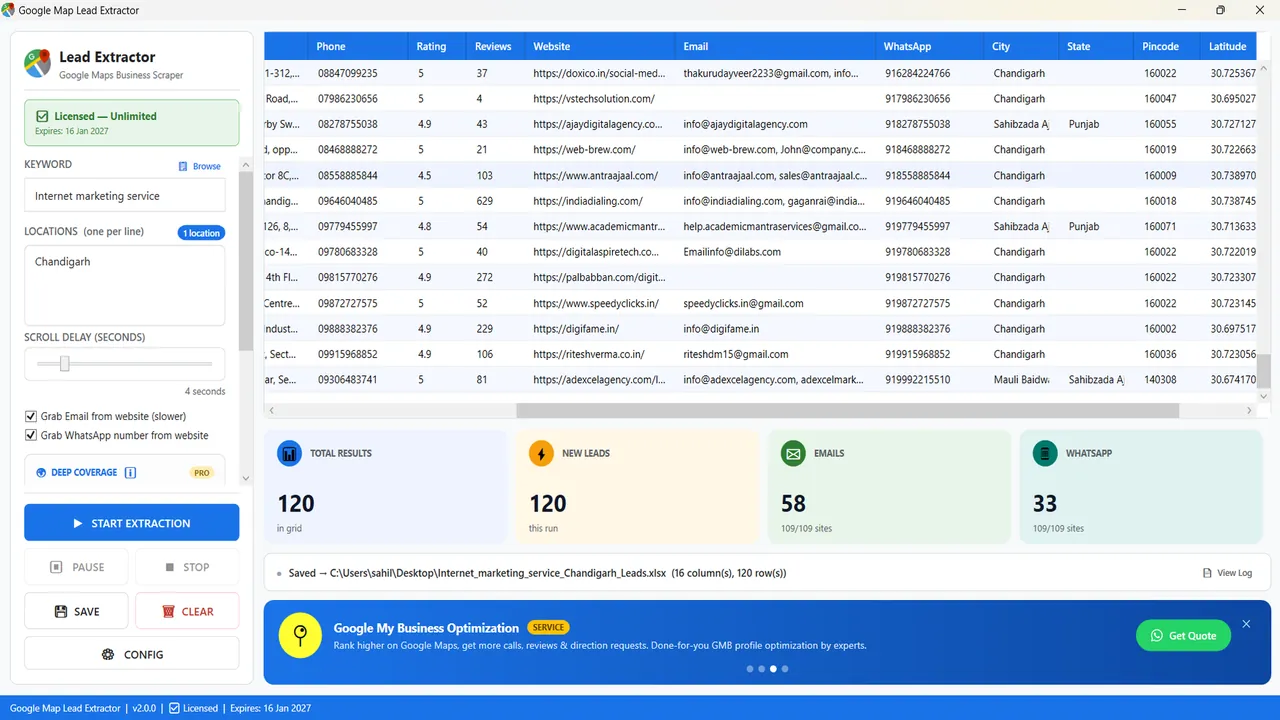
In the run shown above, a single search for internet marketing services in Chandigarh returned 120 businesses, with 106 phone numbers, 58 emails and 33 WhatsApp numbers found. Your numbers will vary by category and city, because many small businesses don't publish an email on their website.
Clean the Excel file before outreach
- Remove duplicates: Data → Remove Duplicates on the phone column, since chains share numbers.
- Find businesses without a website: filter the Website column for blanks. These are good prospects for web-design agencies.
- Sort by rating and reviews: low-rated businesses may want reputation or GMB help; high-review ones are established buyers.
- Format numbers for WhatsApp: use the 91XXXXXXXXXX format (country code, no plus sign or spaces).
Use the data responsibly
Business listings are public, but how you contact people is regulated. In India, follow the DPDP Act 2023 and TRAI's DND rules for calls and SMS. In Europe, GDPR applies. Always honour opt-out requests. This is general information, not legal advice.
FAQ
Can I export Google Maps results to Excel for free?
Yes, by copying manually, or with the free trial of Google Map Lead Extractor, which returns 10 results per search.
Why doesn't Google Maps show emails?
Google Business Profiles don't have a public email field. Extractors get emails from the business's own website.
How many results does one Google Maps search show?
Usually up to about 120. To go further, split the area into smaller localities, or use a grid scan such as the Deep Coverage option in the paid version.
Is there a Hindi version of this guide?
Yes: Google Map se data kaise nikale.
Next step: download the free trial or compare tools in Best Google Maps scrapers 2026.
Ready to grow your business online?
Get a free 30-minute strategy call — real advice, no obligation.
Book Free Call WhatsApp us